







Complete Guide to Cables and Connectors: HDMI, USB, Audio, Ethernet and More
Cables and connectors are among the most important components in modern technology. Whether you are connecting a laptop to a display, attaching a camera accessory, transferring data, connecting audio equipment or setting up a gaming station, choosing the right cable can make a significant difference.
With so many cable types available, it can sometimes be difficult to understand what each one does. HDMI, USB, USB-C, DisplayPort, Ethernet, 3.5mm audio connectors and other cables all serve different purposes.
For users building a home office, gaming setup, photography workstation or content creation studio, understanding cables and connectors can help prevent compatibility problems and make equipment easier to use.
OnlineFotoCrown offers a growing selection of technology and electronics products. You can explore the OnlineFotoCrown home page to discover cameras, accessories, audio equipment, drones, gaming products and other technology.
Why Cables and Connectors Matter
A cable is more than simply a piece of wire. Different cables are designed to carry different types of signals, including digital video, audio, data and network communications.
For example, an HDMI cable is commonly used to transmit digital video and audio between compatible devices. USB cables are widely used for data transfer and charging, while Ethernet cables connect compatible devices to wired networks.
Using an unsuitable cable can result in problems such as no signal, reduced performance, limited functionality or complete incompatibility.
This is why it is useful to understand the basic differences between common cable types before purchasing one.
HDMI Cables
HDMI is one of the most familiar connectors for home entertainment and computer equipment.
HDMI cables can carry both video and audio through a single connection, making them useful for connecting devices such as computers, monitors, televisions, projectors and other compatible equipment.
When choosing an HDMI cable, consider the capabilities of the devices you are connecting. Resolution, refresh rate and other features can influence the type of HDMI connection you need.
For example, someone connecting a modern gaming computer to a high-refresh-rate display may have different requirements from someone connecting a basic laptop to a standard television.
USB and USB-C Cables
USB is another extremely common connection standard.
USB connections are used for many different purposes, including:
- Data transfer
- Device charging
- Connecting peripherals
- Connecting storage devices
- Connecting mobile devices
- Connecting cameras and other electronics
USB-C has become particularly common because of its compact reversible connector.
However, it is important to remember that not every USB-C cable provides exactly the same capabilities. Depending on the cable and connected hardware, supported data speeds, charging capabilities and display functionality can differ.
Therefore, the connector shape alone should not be the only factor when selecting a cable.
Audio Cables and Connectors
Audio equipment uses several different connector types.
Common examples include 3.5mm connectors, XLR connectors and other professional audio connections.
For creators, musicians, videographers and production teams, the correct audio connection is particularly important.
A microphone, recorder, mixer and monitoring device may use different connection standards depending on the equipment.
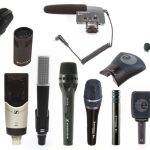
If you are building a professional audio setup, you can explore professional microphones and audio mixers at OnlineFotoCrown.
You can also find sound recorders for portable and professional recording applications.
Ethernet Cables
Ethernet cables are used for wired network connections.
They can be useful for:
- Desktop computers
- Gaming systems
- Network equipment
- Smart devices
- Business networks
- Home offices
A wired network connection can provide a stable connection between compatible equipment and network hardware.
When selecting an Ethernet cable, consider the requirements of your network equipment and internet connection rather than simply choosing a cable based on appearance.
Cables for Gaming Setups
Modern gaming setups often require several cables.
A typical gaming desk may include:
- A gaming computer or console
- Monitor
- Keyboard
- Mouse
- Headphones
- Speakers
- Network connection
- Power connections
- USB accessories
The Gaming Chairs category can also be part of a complete gaming workspace, while Cables & Connectors can help users find connectivity accessories for their equipment.
Good cable management is also important. Keeping cables organized can make a gaming or workstation setup look cleaner and make troubleshooting easier.
Cables for Cameras and Content Creation
Photographers and content creators may use cables for many different purposes.
Examples include connecting:
- Cameras to computers
- Cameras to external displays
- Microphones to recording equipment
- Storage devices to computers
- Lighting equipment to compatible systems
- Audio equipment to mixers or recorders
A content creation workstation can quickly become complicated if multiple devices are involved.
OnlineFotoCrown also provides camera accessories and audio accessories for users building photography and content creation setups.
How to Choose the Right Cable
1. Check the connectors
Look at both devices and identify the ports available.
2. Determine what signal you need
Are you transferring:
- Video?
- Audio?
- Data?
- Network traffic?
- Power?
3. Check compatibility
Make sure the cable supports the features required by the connected devices.
4. Consider cable length
A cable that is too short can be inconvenient, while unnecessarily long cables can create clutter.
5. Consider your future needs
If you are upgrading equipment soon, it can make sense to choose connectivity accessories that support your expected setup.
Common Cable Mistakes to Avoid
One common mistake is assuming that every cable with the same connector performs identically.
Another is buying a cable without checking the ports on both devices.
Users should also avoid choosing cables solely because they are inexpensive. The most important consideration is whether the cable is appropriate for the intended application.
Final Thoughts
Understanding cables and connectors makes it easier to build reliable technology setups.
From HDMI and USB to Ethernet and professional audio connections, each cable serves a particular purpose. Taking a few minutes to identify your devices, ports and required signal can prevent compatibility problems.
Whether you are upgrading a gaming desk, building a content creation studio or connecting everyday electronics, the right connectivity accessories can make your setup more convenient and reliable.
For more technology products, accessories and equipment, visit OnlineFotoCrown. If you need help finding suitable equipment, you can also contact OnlineFotoCrown.
Cables and connectors are used to transfer video, audio, data, network signals and power between compatible devices.
HDMI cables are commonly used to transmit digital video and audio between compatible devices such as computers, displays and televisions.
No. USB-C cables can support different data transfer, charging and display capabilities depending on their specifications.
The appropriate cable depends on the ports and equipment being connected. Professional audio equipment may use connections such as XLR, while consumer devices may use other connectors.
Check the ports on both devices, determine the signal required and confirm that the cable supports the necessary specifications.
OnlineFotoCrown offers a growing range of cables and connectors along with photography, audio, drone, gaming and technology products.